


Most Google Business Profile changes roll out quietly, and you would never notice unless you went looking. This year is different. Buried in the latest Google Business Profile updates 2026 is a hard deadline that affects any hotel or restaurant currently using Google’s chat feature to talk to guests, plus two new tools worth setting up before your competitors do.
Here is what actually matters for hospitality businesses, in the order you should deal with it: the deadline first, then the two features worth adopting, then a five-minute security check that can save you from a lot of confused guests.
First, Mark Your Calendar: GBP Chat Shuts Down on July 31, 2026
If your hotel or restaurant currently answers guest questions through the chat button on its Google Business Profile, that feature has an expiration date. Google has confirmed it will retire the original Business Profile chat on July 31, 2026. There is no grace period after that date, the option simply disappears from your listing.
This is the one item on this list that genuinely cannot wait until later. Properties that lean on GBP chat for last-minute questions, such as table availability tonight or whether a room is pet-friendly, need a replacement lined up before the switch goes dark, not after guests start messaging into a channel that no longer exists.
Even properties that rarely use GBP chat should still check. Many profiles have it switched on by default, which means some guests may be used to messaging that way without your team realizing it. A quiet drop in direct enquiries after July 31 is easy to miss until someone notices bookings have slowed for no obvious reason.
The Replacement Worth Setting Up: WhatsApp on Your Listing
Conveniently, one of this year’s other google my business updates solves the chat problem directly. Google has started adding WhatsApp as a messaging option on Business Profiles in markets where WhatsApp is the default, including Thailand, so guests can tap straight from your Google listing into a WhatsApp conversation.
For most hospitality teams, this is an upgrade rather than a like-for-like swap. WhatsApp lets your front desk or reservations team send photos, voice notes, and location pins back to guests, none of which the old chat feature supported. If you have not connected WhatsApp to your profile yet, do it now so it has time to settle in before the July deadline arrives and chat disappears.
Your Menu Can Now Write (Most of) Itself
Restaurants, cafes, and hotel F&B outlets got their own upgrade this year: an AI menu builder that scans your existing online presence and assembles a structured digital menu for your google business profile for restaurants, dish names, descriptions, and prices included, without anyone needing to design or upload a PDF.
Treat the result as a first draft, not a finished product. The tool is good at pulling together what is already online, but it has no way of knowing that a dish was dropped last month or that prices went up for high season. Claim the generated menu, then spend ten minutes correcting anything it got wrong before guests start browsing it.
One More Thing Worth Checking: Has Your Map Pin Moved?
Separate from these feature rollouts, there has been a rise in cases of Google Maps pins being quietly edited by someone other than the business owner, sometimes nudging the pin to a nearby vacant lot, sometimes pointing it at a competitor’s address entirely. For a guest relying on Maps to walk or drive to your door, a shifted pin means a wrong turn, a late arrival, or a no-show.
Google gives owners visibility into recent edits and the ability to revert them, but only if someone is actually looking. Add a quick monthly check of your address, phone number, and website link to whoever manages your profile, so a hijacked pin gets caught in days rather than discovered weeks later through a string of one-star reviews from guests who could not find the place.
Also New: Gemini Is Getting Direct Access to Your Business Profile
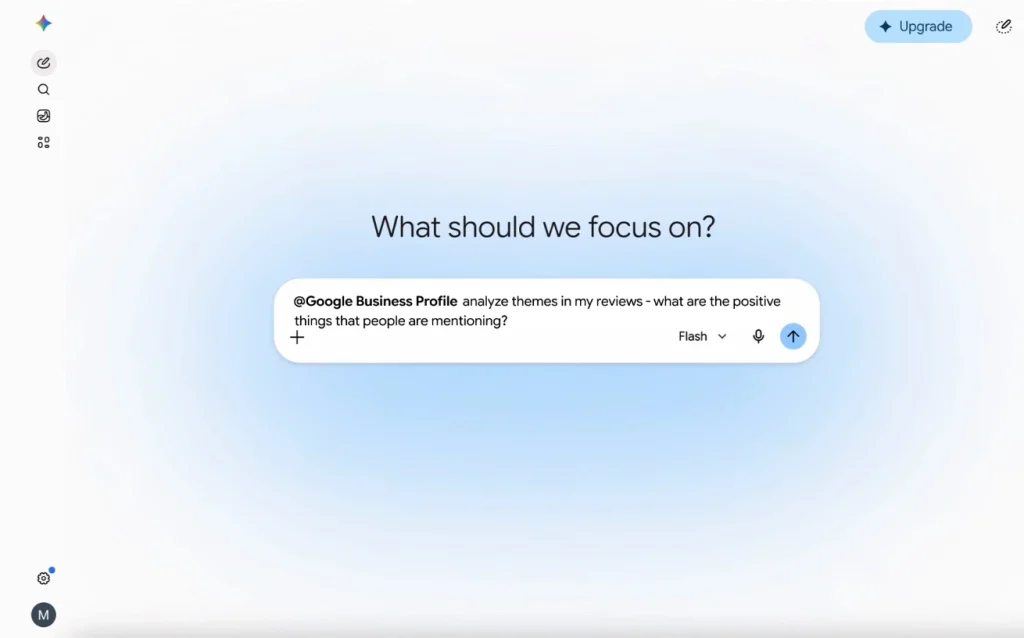
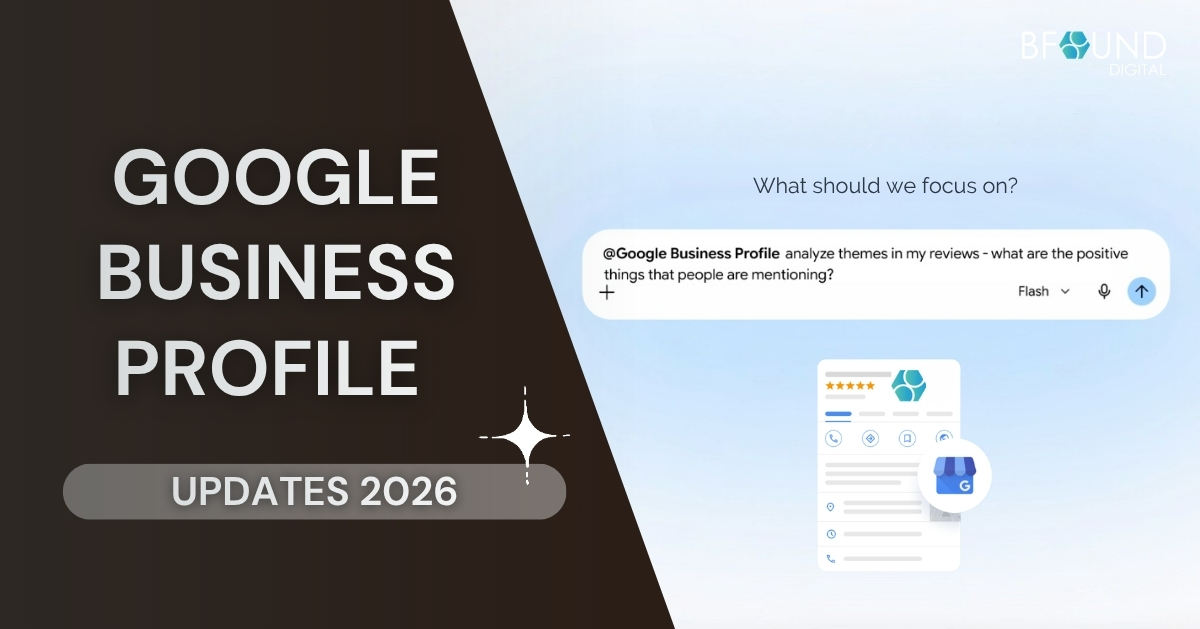
Google has also confirmed that the Gemini app is gaining a direct Google Business Profile connection and a feature called Business notebooks, rolling out globally this month (excluding the EEA and UK). Once your profile is connected, which Google says takes a single tap, Gemini can pull in your reviews, customer questions, and performance data and use that information when you ask it questions.
In practice, that means a manager could ask Gemini how the business did this month and get a summary built from search impressions, direction requests, call data, and customer engagement. It can also draft a reply to a recent review that references what the guest actually wrote, or make changes such as updating opening hours, posting a seasonal update, or flagging gaps in the profile.
Business notebooks go a step further: they hold your chats, sources, profile, and website together in one place, so Gemini keeps context across conversations instead of starting fresh each time. Opening a notebook surfaces alerts, like an unanswered customer question or holiday hours that have not been set, and can suggest operational changes based on the local market.
The rollout is gradual, so do not be surprised if this is not visible in your Gemini app yet, with the Business Profile connection itself following in the coming weeks. One caveat worth flagging to your team now: any reply Gemini drafts for a review still goes out under your business’s name, so it needs a quick human read before sending, the same as you would with any other AI-assisted reply.
What makes this year’s changes different from the usual minor tweaks is how directly they touch the moments that turn a search into a booking or a walk-in: the message asking if a table is free, the menu someone checks before deciding where to eat, and the map that gets them to your door. Hotels and restaurants that keep these basics current tend to convert more of that search traffic, simply because nothing gets in the way.
Your Google Business Profile Updates 2026 Action Plan
If you only do four things with your Google Business Profile this year, make it these, roughly in this order:
- Connect WhatsApp messaging to your profile before the GBP chat shutdown on July 31, 2026.
- Claim and review the AI-generated menu if you run a restaurant, cafe, or F&B outlet.
- Update your business hours, phone number, and website link so they are accurate once chat disappears.
- Add a recurring monthly check of your listing’s address and map pin for unauthorized edits.
- Once it appears in your Gemini app, connect your Business Profile and have someone review any AI-drafted review replies before they go out.
None of this requires a big project or a redesign, just someone on your team setting aside an hour to work through the list above. These google business profile updates are a good prompt to do a broader check of your listing while you are in there.
If that is not realistic right now, or you would rather have a second pair of eyes confirm everything is set up correctly, our team can take care of it. For restaurants specifically, our guide on optimizing your Google Business Profile for more walk-ins covers the basics these updates build on.
Get in touch for a free review of your Google Business Profile, or learn more about our local SEO services for hotels and restaurants.
Follow us for tips, insights, and strategies that actually work for your business.
🌐 Website: bfound-digital.com
📘 Facebook: BFound Digital
📸 Instagram: @bfounddigital
▶️ YouTube: BFound Digital
💼 LinkedIn: BFound Digital
🎵 TikTok: @bfounddigital